Why Choose a Touch Screen Monitor for Your Business Needs?
In today’s fast-paced business environment, technology plays a crucial role in operational efficiency. The evolution of the Touch Screen Monitor has revolutionized how businesses engage with customers and manage tasks. This innovative tool stands out for its user-friendly interface, making it ideal for various applications, from retail to conference settings.
The Touch Screen Monitor not only promotes interactive experiences but also enhances productivity. Employees can access information quickly, fostering a more dynamic workflow. However, it’s essential to consider potential drawbacks. Touch screens may suffer from wear and tear, requiring regular maintenance. Businesses must evaluate whether the benefits outweigh these challenges.
Investing in a Touch Screen Monitor can be a game-changer, but it’s vital to analyze specific needs. Understanding how this technology aligns with your business goals will maximize its potential. The right choice can lead to substantial improvements in customer engagement and team collaboration.
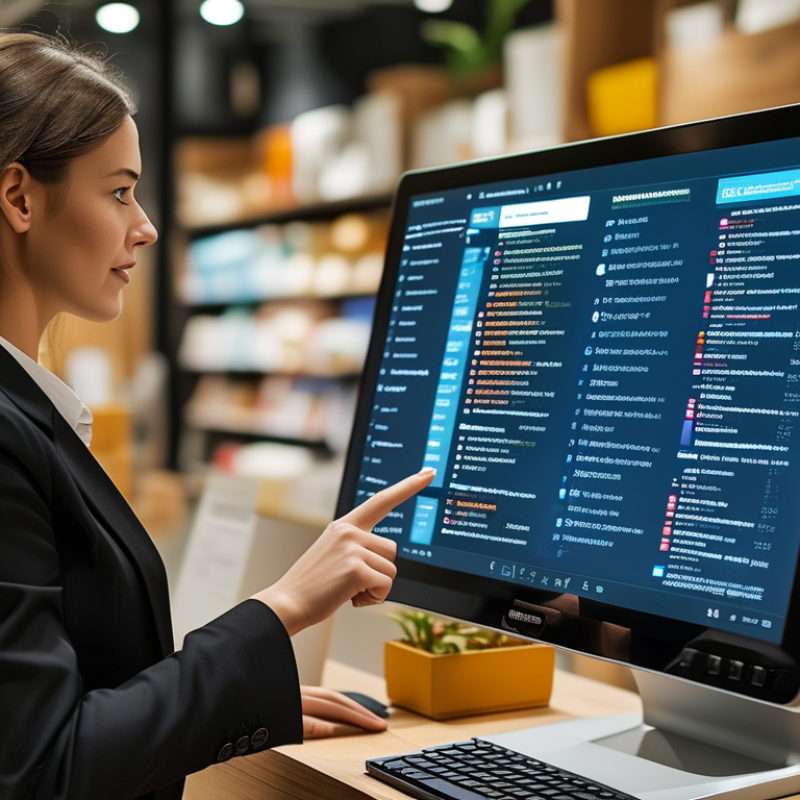
Benefits of Touch Screen Monitors for Modern Businesses
Touch screen monitors are becoming essential tools in modern workplaces. According to a recent industry report, over 25% of businesses have adopted them to enhance user interaction. This increase is due to the versatile capabilities of touch screens, which streamline various tasks. Employees find touch screens more intuitive than traditional interfaces. This leads to quicker response times and fewer errors.
Another pertinent factor is customer engagement. Research indicates that businesses using touch technology can improve customer satisfaction by up to 30%. Touch screens create an interactive experience. They allow customers to access information quickly. This immediate feedback can boost sales, as clients feel more in control of their shopping experience.
However, the transition to touch screen technology isn't without challenges. Some businesses report a learning curve, particularly for older staff. Employees may initially struggle with the switch from conventional methods. Training is often needed to ensure everyone is comfortable. Despite these obstacles, the benefits largely outweigh the drawbacks. Investing in touch screens can transform communication and efficiency in any workplace.
Key Features to Consider When Selecting Touch Screen Monitors
When selecting a touch screen monitor for business needs, several key features deserve attention. Response time is crucial. A monitor with a fast response time enhances user experience. Teams can work seamlessly without frustrating delays. Touch sensitivity is another important aspect. A monitor should respond accurately to light taps and gestures. This ensures smooth navigation and interaction with applications.
Size and resolution also play vital roles. Larger screens improve visibility for presentations. High-resolution displays enhance clarity, making content easy to read. Consider the environment where the monitor will be used. For example, in bright areas, an anti-glare screen can significantly improve usability.
Another factor is connectivity options. A monitor should support various connections, such as HDMI and USB, for versatile uses. Think about the ease of integration with existing systems. This can save time and reduce setup complexities. Lastly, look for durability and warranties. A reliable monitor can withstand daily use, reducing long-term costs and frustrations.
Impact of Touch Screen Technology on Customer Engagement
Touch screen technology has transformed customer engagement in businesses. It offers an interactive experience that attracts customers. Unlike traditional interfaces, touch screens allow users to navigate easily. Customers can browse products or services intuitively, leading to higher satisfaction levels. This immediacy can boost impulse purchases, as users feel more connected.
This technology also allows businesses to gather valuable data. By monitoring interactions, they can understand customer preferences. This insight enables tailored marketing strategies. However, not all customers are tech-savvy. Some may feel overwhelmed by the interface. It’s essential to keep the design user-friendly. Regular updates and feedback loops can improve usability as well.
Engagement is not without its challenges. Businesses must ensure that systems are reliable and fast. Slow response times can frustrate users and decrease interest. Additionally, staff training is crucial. Employees must know how to assist customers effectively. A well-implemented touch screen can create excitement. Yet, businesses need to remain aware of the balance between technology and personal touch. Reflections on these aspects can guide future enhancements.
Impact of Touch Screen Technology on Customer Engagement
Cost-Effectiveness of Touch Screen Monitors for Business Operations
Touch screen monitors are gaining popularity in various business operations due to their cost-effectiveness and efficiency. According to a report by Research and Markets, the global touch screen market is expected to reach $105 billion by 2027, driven by increasing demand in sectors like retail and hospitality. These monitors can reduce training time and improve user engagement, which ultimately translates to savings in operational costs.
Using touch screen monitors can lead to faster transactions and better customer experiences. A study from the Journal of Retailing found that businesses utilizing interactive displays noted a 30% increase in customer interaction. This can enhance overall sales performance. However, it’s crucial to choose devices that are durable and designed for high-volume usage.
**Tip:** Keep in mind the accessibility of touch screens. Ensure they are user-friendly for all customers, including those with disabilities.
Furthermore, maintenance costs should be considered. While touch screens are generally reliable, repairs can be expensive. Regular training for staff on the usage of these devices can mitigate risks and maintain productivity. Balancing initial investments with potential long-term savings is key.
**Tip:** Evaluate different models and consider leasing options to minimize initial expenditures.
Integration with Other Technologies in a Business Environment
When considering a touch screen monitor for business, integration with other technologies is crucial. These monitors work seamlessly with various devices like projectors, tablets, and smartphones. This compatibility enhances collaboration among team members, allowing for easier sharing and interaction. Touch screens simplify presentations, enabling users to illustrate ideas on the screen.
Tips: Ensure your touch screen system is user-friendly. Training staff on its use can boost productivity. Consider software compatibility before making a purchase, as not all touch screen models support every application.
Another advantage is their adaptability in a dynamic business environment. Touch screen monitors can act as interactive kiosks, guiding customers with ease. They can be placed in retail settings or reception areas, improving customer experiences. However, businesses may encounter challenges like maintenance and technical issues requiring support. Have a backup plan in place for when these problems arise.
Tips: Regularly check for software updates to keep your system running smoothly. Create a troubleshooting guide for common issues to minimize downtime. With thoughtful integration, touch screen monitors can enhance business functions and enrich customer interactions.