

Choosing the right Digital Spirit Level is not simply about buying the model with the brightest screen. A reliable choice begins with measurement needs, working conditions, and acceptable error. Accuracy matters on a tiled wall, a steel frame, or a sloping drainage pipe. So does readability. A small display can become frustrating under strong workshop lighting.
Measurement scientist John R. Taylor offers a useful reminder: “A measurement is meaningful only when its uncertainty is understood.” That principle belongs at the center of this guide. The ten tips will examine accuracy ratings, calibration procedures, sensor quality, display design, battery life, durability, and digital features. They will also consider practical details, such as magnetic bases, audible alerts, waterproof protection, and angle memory. These features sound impressive. They are not equally valuable for every user.
Real work often exposes the difference. A level may read perfectly on a clean bench, then behave poorly after dust enters its buttons. A magnetic base may hold firmly, yet scratch painted steel. I have seen users trust a digital reading without checking the surface or recalibrating the tool. That is an avoidable mistake. Sometimes, a simple bubble vial remains useful. No tool is perfect. Temperature, impact, battery condition, and handling can influence results. This guide therefore encourages careful comparison, realistic expectations, and a brief verification before important installation work. The best Digital Spirit Level is not the most expensive one. It is the one that delivers dependable readings in your actual environment.
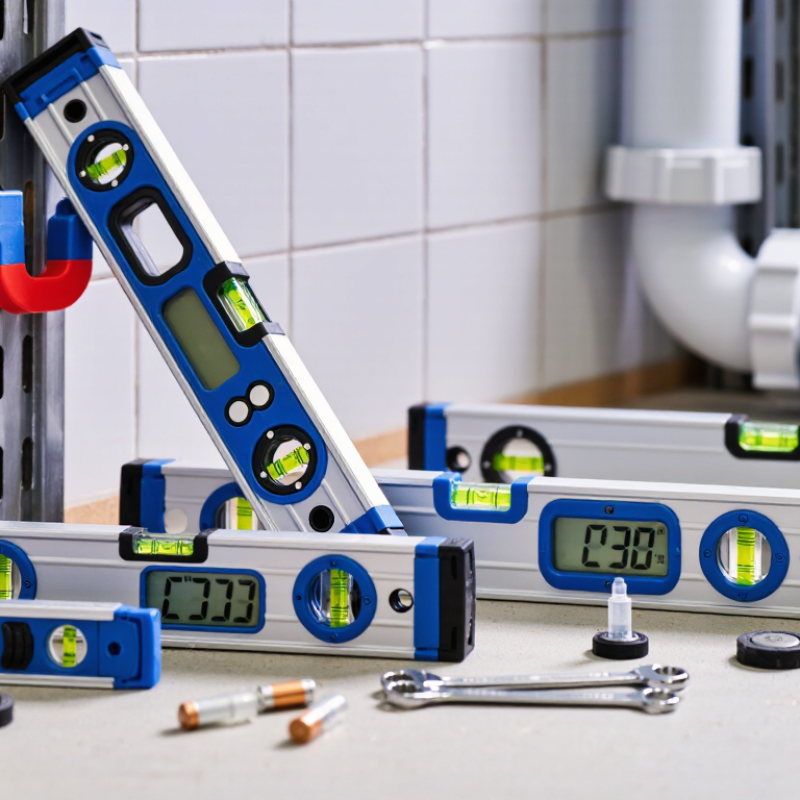
Choosing a digital spirit level begins with the project, not the display. Define the accuracy you actually need. Cabinet installation may require around ±0.1° per meter, while basic framing can tolerate more variation. Check the manufacturer’s stated tolerance and measurement range. Resolution is different from accuracy. A screen showing 0.01° does not guarantee 0.01° precision.
Tip 1: Match the tool to the surface and distance. A short level suits shelves and window frames. A longer model helps detect gradual slopes across floors or countertops. Measure both horizontal and vertical surfaces. For drainage work, confirm whether the level supports percentage or pitch readings. That small detail can prevent repeated calculations on site.
Tip 2: Test before trusting. Place the level on a stable surface, record the reading, then rotate it 180 degrees. The result should remain nearly consistent. I once skipped this check and adjusted a cabinet twice. The tool was not broken, but my confidence was misplaced. Temperature, dust, battery condition, and an uneven base can also affect readings.
Tip 3: Consider practical measurement needs. Choose clear digits, useful sound alerts, and a hold function when visibility is poor. Waterproof protection matters near wet construction areas, but it does not excuse careless storage. Calibration instructions should be understandable and repeatable. If your work has strict tolerances, keep a simple verification record. Digital convenience helps, yet physical judgment still matters.
Accuracy requirements vary by application. The chart shows practical maximum angular deviation targets and their approximate equivalent rise or fall over one metre. Smaller values indicate a greater need for precision.
For precision cabinetry and fine installation work, choose a level with a tighter accuracy specification. General framing and outdoor drainage typically allow more tolerance, but the required accuracy should always be checked against project drawings and applicable standards.
Choosing a digital spirit level starts with the display, not the casing.
LCD screens usually save power, while OLED screens offer stronger contrast and deeper blacks. Test both under bright sunlight and dim indoor lighting. A glossy screen can reflect a window at the worst moment. The World Health Organization estimates that at least 2.2 billion people live with near or distance vision impairment (WHO, World Report on Vision). Large digits, high contrast, and adjustable brightness are practical features, not decoration. Viewing angles matter too. I once trusted a narrow screen and misread a small negative sign.
Check whether the level shows degrees, percentage, or millimetres per metre. Some models support all three, but conversion can confuse hurried users. NIST SP 811 recommends clear, consistent use of SI units and symbols. Choose a unit that matches your drawings and jobsite habits. Confirm resolution separately from accuracy. A display reading 0.1° does not guarantee 0.1° accuracy. ISO 16331-1 provides a useful reference for evaluating laser distance-measuring performance, though it does not replace level-specific testing. Read the calibration instructions carefully.
Look for an audible alert, stable hold function, automatic screen rotation, and a backlight that stays visible from the side. Test the buttons with gloves. Check whether the alert can be muted in quiet rooms. Battery indicators should warn before failure, not afterward. My own preference changed after a cold-weather test; a bright display became sluggish, and I had not checked operating temperatures. That weakness matters. A readable level should reduce squinting, repositioning, and avoidable measurement errors.
A reliable digital spirit level should survive real handling, not only look polished. Inspect the frame for straight edges, firm joints, and protected control buttons. Choose a readable display with useful backlighting and clear angle units. Check whether the sensor returns to zero after being turned or bumped. I once trusted a cheap housing on a damp site. The readings drifted before the day ended.
Confirm the stated accuracy across the tool’s full measuring range. A short level may suit cabinets, while longer work requires better surface coverage. Check the measurement range, resolution, and calibration process before buying. Test it against a known reference when possible. Do not rely on one impressive number. The display should remain visible from awkward positions, especially under bright windows. Audible alerts can help, but silence is sometimes preferable.
Environmental protection deserves equal attention. Look for a clearly stated IP rating, sealed battery access, and impact-resistant end caps. Consider dust, rain, temperature changes, and accidental drops. A level used outdoors needs more than basic splash resistance. Read the operating temperature limits carefully. Store it dry and recalibrate after severe impacts. That extra step is easy to skip. It should not be. Check battery life, warranty terms, calibration instructions, and available service support. A trustworthy tool explains its limits instead of promising perfection.
Calibration deserves more attention than a bright screen. Check whether the digital spirit level includes a calibration procedure or certificate. NIST Technical Note 1297 stresses measurement uncertainty and traceability. Test the tool on a flat surface, rotate it 180 degrees, and compare both readings. Repeat the test. If the values change noticeably, stop trusting the display. Check resolution, accuracy tolerance, automatic shutoff, and readability from a low working angle. I once accepted the first reading without rotation. That shortcut was wrong.
Battery performance affects practical accuracy. Read the stated runtime, charging time, and low-battery warning carefully. A weak battery may dim the display before it fully stops working. Choose replaceable cells for remote sites, or a rechargeable model with a clear charge indicator. Inspect the battery compartment seal when dust and moisture are common. A 2024 smart-manufacturing survey of 816 executives reported that 61% planned to increase investment in connected operations. That trend makes smart functions useful, but not automatically reliable.
Consider digital memory, audible alerts, angle units, backlighting, and data export. Bluetooth can reduce note-taking, yet it may add pairing delays or privacy concerns. Check whether readings remain stored without a phone. Compare the tool with a trusted reference level before important installation work. Record the date, surface, temperature, and result. Standards-based testing is better than confidence alone. Still, advertised accuracy may assume ideal conditions. Real job sites are rarely ideal.
| No. | Selection Dimension | What to Check | Practical Benchmark | Why It Matters | Simple Evaluation Method |
|---|---|---|---|---|---|
| 1 | Calibration Accuracy | Review the stated accuracy for level and plumb measurements. | Professional models commonly specify approximately ±0.1° or better; basic models may be less precise. | A small angular error can create a noticeable height difference over a long distance. | Place the level on a flat surface, record the reading, rotate it 180 degrees, and compare the readings. |
| 2 | Calibration Function | Check whether the device supports user calibration and provides clear instructions. | Look for a documented zero-setting procedure and a stable reference surface requirement. | Regular verification helps compensate for accidental drops, temperature changes, or long-term drift. | Verify the zero position before use and repeat the 180-degree test after calibration. |
| 3 | Measurement Range | Check whether the instrument measures level, plumb, degrees, percentage, or pitch. | A useful digital range is typically 0°–90° for angle and level applications, with additional pitch units where needed. | Multiple units reduce manual conversion when installing ramps, drains, cabinets, or framing. | Confirm that the available units match the measurements required for your projects. |
| 4 | Display Readability | Inspect screen size, viewing angle, backlight, digits, and readability in bright or dim areas. | Choose a high-contrast display with selectable backlight and digits that remain visible from the working position. | A clear display reduces reading errors and avoids repeatedly repositioning the tool. | Read the screen from several angles and test it under both direct light and low light. |
| 5 | Battery Life | Check battery type, estimated operating time, low-battery warning, and automatic shutoff. | A practical choice should provide several hours of continuous operation and use commonly available batteries or USB charging. | Longer runtime limits interruptions on extended installation or construction tasks. | Confirm the power source is easy to replace or recharge and verify that auto-off can be adjusted if available. |
| 6 | Smart Functions | Look for audible alerts, hold mode, angle memory, relative-angle mode, and Bluetooth or app support if required. | Select only functions that support the intended workflow; basic tasks may need only audible and hold features. | Smart features can improve speed, but unnecessary connectivity may increase cost and battery use. | Test each function with gloves or in a noisy workspace before relying on it. |
| 7 | Length and Vial Layout | Compare the tool length, number of vials, viewing orientation, and measurement surface. | Short levels are easier in confined spaces, while longer levels generally bridge uneven surfaces more effectively. | The right length improves stability and helps reveal gradual slopes across a wider span. | Match the length to the task and check that the digital sensor and physical vials are easy to view. |
| 8 | Construction and Protection | Check the frame material, end caps, sensor protection, water or dust resistance, and drop resistance information. | A reinforced frame with protective ends and a published ingress rating is preferable for job-site use. | Protection helps preserve calibration and prevents damage from dust, moisture, and impacts. | Inspect the contact surface for straightness and confirm that the stated protection suits the work environment. |
| 9 | Ease of Use | Evaluate button layout, audible signal control, unit switching, hold mode, and operation with gloves. | The main controls should be identifiable without navigating complicated menus. | Simple controls reduce setup time and help prevent incorrect readings in the field. | Operate the tool while wearing typical work gloves and check whether the display and alerts remain understandable. |
| 10 | Verification and Support | Review the manual, calibration guidance, accuracy documentation, service options, and replacement-part availability. | Prefer clear technical documentation and a defined procedure for checking accuracy after impact or repair. | Reliable documentation makes it easier to identify measurement problems and maintain consistent results. | Before purchase, confirm that calibration instructions and operating specifications are available in writing. |
| Evaluation note: Accuracy figures, battery runtime, protection ratings, and available functions vary by model. Always verify the manufacturer’s current technical specifications and calibrate the instrument against a known reference before precision work. | |||||
Choosing a digital spirit level should match your budget, task, and tolerance for error. Tip 1: Define the job. Cabinet fitting needs finer control than basic wall alignment. Tip 2: Check accuracy, not resolution. A 0.1° display may still hide calibration error. Tip 3: Compare stated accuracy at 0° and 90°. These readings can differ. Tip 4: Select a model with a clear backlit display for dim interiors.
Tip 5: Choose audible alerts when your eyes must stay on the workpiece. Tip 6: For dusty sites, inspect the IP rating and sealed buttons. Tip 7: Prefer strong edges and shock protection for repeated transport. Tip 8: Confirm battery life before paying for advanced functions. A lower-cost model may work well for occasional repairs, but its housing may disappoint on active sites. I have found that awkward battery access becomes irritating surprisingly fast.
NIST Technical Note 1297 recommends reporting expanded measurement uncertainty with a coverage factor of k=2, representing approximately 95% confidence. Use that principle when comparing accuracy claims. Tip 9: Look for a calibration procedure and a stable reference surface. ISO 17123-2 also emphasizes repeated field observations when evaluating level performance. Tip 10: Keep calibration records for professional work. Avoid paying for Bluetooth or memory features you will never use. Spend more on accuracy, readability, and durability instead. My imperfect rule is simple: buy the tool that fits your worst working condition, not your easiest project.

